Behavior & Workforce Analytics
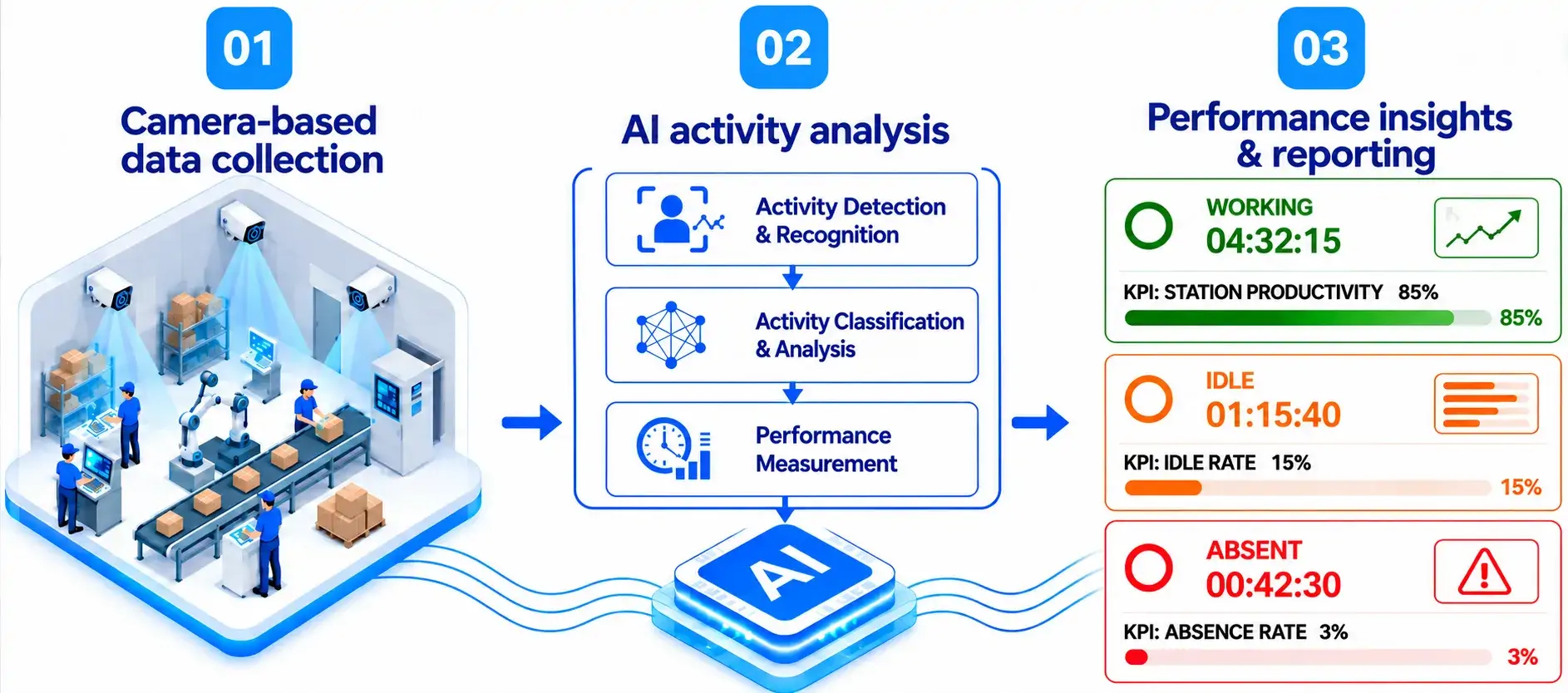
Use AI vision to monitor workstation activity across camera feeds in a single dashboard. Track working, idle, and absent periods within monitored zones to compare shifts and pinpoint footage for follow-up.
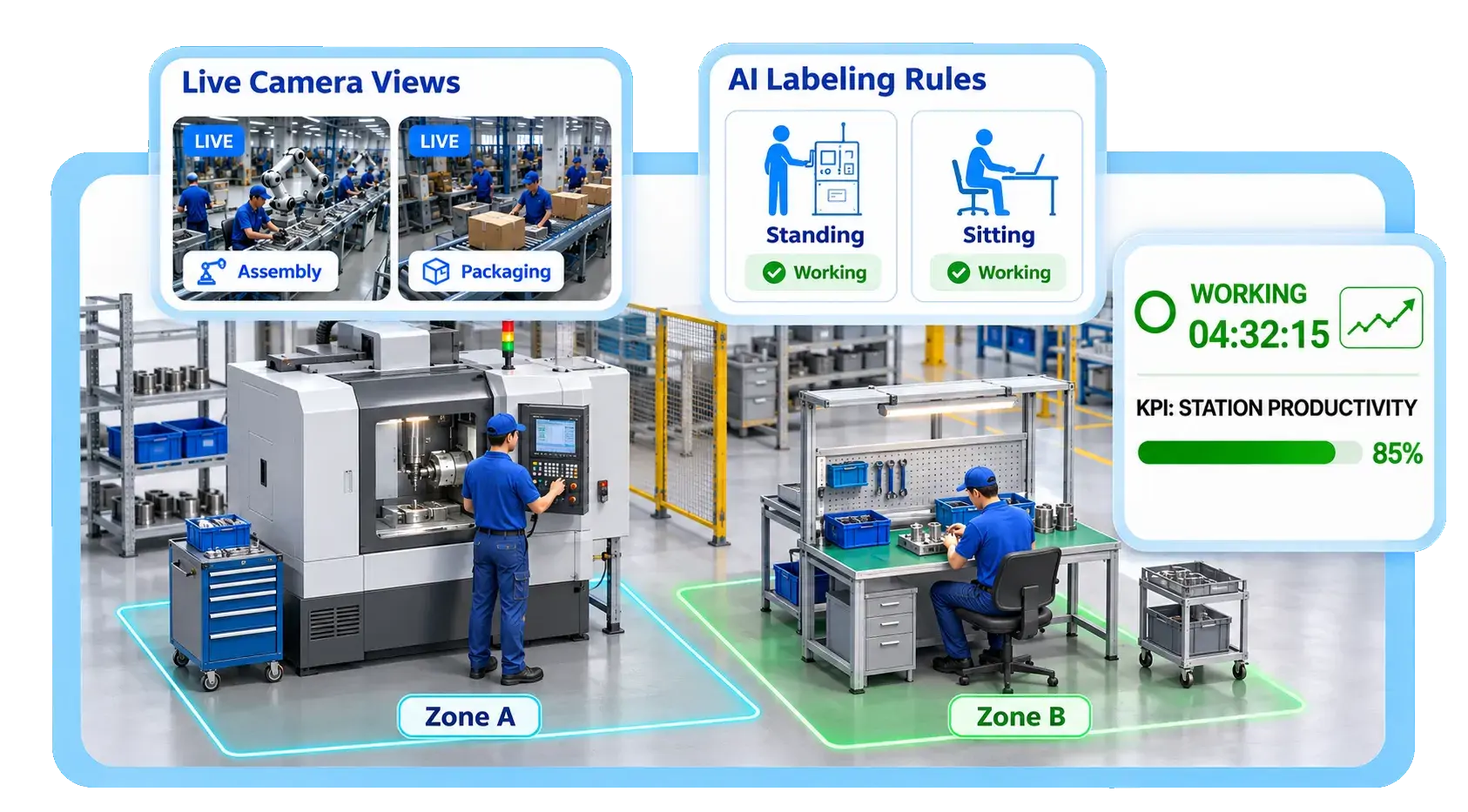
Use AI vision to monitor workstation activity across camera feeds in a single dashboard. Track working, idle, and absent periods within monitored zones to compare shifts and pinpoint footage for follow-up.
Use camera feeds to monitor workstation activities and analyze work patterns across stations and shifts.
View workstation status across cameras in one dashboard.
Configure activity definitions for each workstation.
Analyze activity duration and trends through reports and inspection logs.
Monitor workstation status and camera feeds from one dashboard.
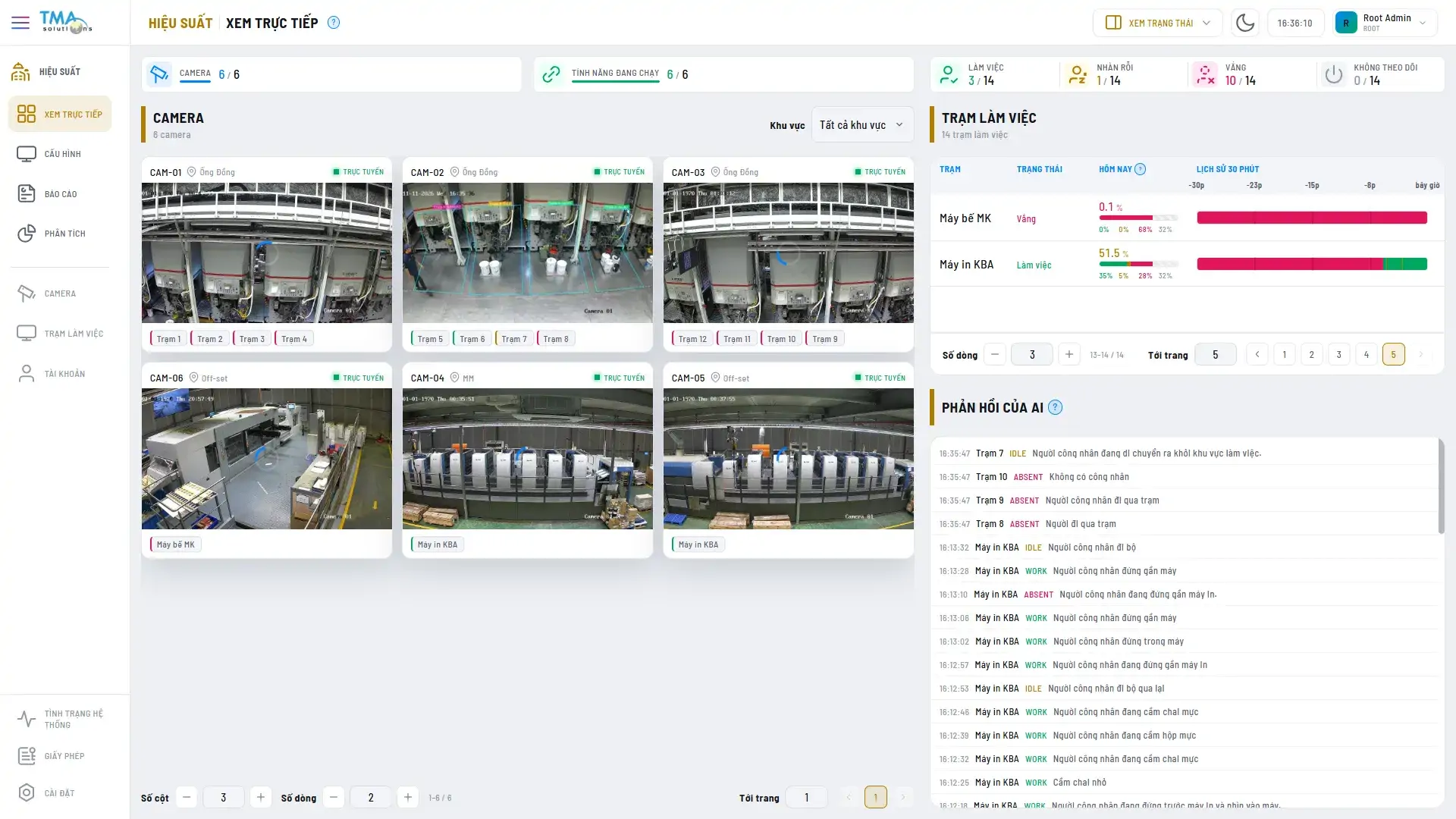
Use station timelines to locate periods that need review.
See how long each station was classified as working, idle, or absent.
Review camera placement, lighting and workstation coverage.
Connect camera feeds, define monitoring zones and adjust activity recognition.
Validate activity states and reports with the customer, then train users.
Start monitoring, review activity reports with the customer, and adjust settings based on observed activity.